Launching a new website is exciting, but getting your pages to appear in Google Search can take time.
If your website is not showing up in Google yet, don’t panic. Google first needs to discover your pages, crawl them, and decide whether to include them in its search index.
In this guide, you’ll learn how to get your website indexed by Google using Google Search Console, XML sitemaps, internal links, crawlability checks, and useful content.
Quick answer: Connect your website to Google Search Console, submit your XML sitemap, make sure Google can access your important pages, request indexing for important URLs when appropriate, and keep publishing useful, original content.
Table of Contents
ToggleWhat Does Google Indexing Mean?
Google Search involves several different processes, and it’s useful to understand the difference between them.
Crawling
Crawling happens when Google’s systems discover and access a web page.
Indexing
After crawling a page, Google can analyze and store information about it in its search index.
Ranking
When someone searches for something, Google determines which indexed pages are relevant and how they should appear in the search results.
So, getting indexed does not automatically mean your page will rank on the first page of Google.
Your goal should be to make your website easy for search engines to access while creating genuinely useful content for visitors.
How to Check If Your Website Is Indexed by Google
One quick way to check your website is to use Google’s site: search operator.
Search for:
site:yourdomain.com
For example:
site:digitting.site
Google may show pages from your website that it has indexed.
However, don’t treat the site: search as a complete indexing diagnostic. For individual URLs, Google Search Console provides more useful information.
If you’re working on a specific article, use the URL Inspection tool in Search Console to check what Google knows about that URL.
Step 1: Add Your Website to Google Search Console
Google Search Console is one of the most useful free tools for website owners.
It can help you monitor search performance and investigate crawling and indexing issues.
To get started:
- Open Google Search Console.
- Add your website as a property.
- Verify ownership.
- Select your website property.
- Check the indexing and URL Inspection tools.
Once Search Console is connected, you’ll have a much better way to monitor how Google interacts with your website.
If you’re using WordPress, also check your site’s search-engine visibility settings to make sure you haven’t accidentally asked search engines not to index your website.
Step 2: Submit Your XML Sitemap
An XML sitemap provides search engines with a list of important URLs on your website.
For many WordPress websites, a sitemap is automatically generated.
A common WordPress sitemap URL is:
https://yourdomain.com/wp-sitemap.xml
However, your website may use an SEO plugin that generates a different sitemap URL.
After finding your sitemap:
- Open Google Search Console.
- Select your website.
- Open Sitemaps.
- Enter your sitemap URL.
- Submit it.
A sitemap helps Google discover URLs, but submitting a sitemap does not guarantee that every URL will be indexed. Google still evaluates individual pages before including them in Search.
Step 3: Request Indexing for Important Pages
After publishing an important article, you can use Google’s URL Inspection tool to check its indexing status.
Enter the complete URL of your article into the tool.
For example:
https://digitting.com/how-to-get-website-indexed-by-google/
If the URL is not indexed and Google provides the option, you can request indexing.
However, you should not repeatedly submit the same URL expecting instant results.
Google recommends allowing time for crawling and re-indexing; newly published pages can take several days to be discovered and crawled.
Step 4: Improve Your Internal Linking
Internal links connect one page of your website to another page on the same website.
They are useful for both visitors and search-engine discovery.
For example, if you’re writing about website indexing, you can naturally link to related topics such as:
- Mobile SEO
- Local SEO
- WordPress
- Website speed
- Keyword research
- AI content and SEO
Don’t add internal links just to increase the number of links.
Each link should help the reader discover something relevant.
Example
If you have an article about mobile SEO, you could write:
A mobile-friendly website is important for both user experience and SEO. You can also read our guide to mobile SEO best practices to improve your website further.
The anchor text should give readers a reasonable idea of what they’ll find after clicking.
Step 5: Make Sure Google Can Crawl Your Website
Sometimes a page isn’t indexed because Google cannot properly access or process it.
Check the following areas.
Check Your Robots.txt File
Your robots.txt file provides instructions to crawlers.
Make sure you haven’t accidentally blocked important sections of your website.
A robots.txt file should not be used casually to block pages you want Google to discover.
Check WordPress Search Engine Visibility
If you’re using WordPress, go to:
Settings → Reading
Look for the option that discourages search engines from indexing the site.
If your website is public and you want it to appear in Google Search, make sure this setting is configured appropriately.
Check for Noindex Settings
A page can also be excluded from search engines through a noindex directive.
Check your SEO plugin and page settings if an important URL isn’t appearing in Google.
Google’s documentation also recommends using URL Inspection to test how Google sees a URL and checking that important pages aren’t blocked by robots.txt, noindex, or login requirements.
Step 6: Publish Useful, Original Content
Getting indexed is only the beginning.
Your website also needs content that provides real value to visitors.
Instead of publishing many short articles that say very little, focus on answering specific questions properly.
For example, instead of writing a generic article called:
SEO Tips
you could create a more useful guide such as:
On-Page SEO Checklist for Beginners
A useful article should ideally:
- Answer the reader’s main question.
- Have a clear structure.
- Use descriptive headings.
- Include practical examples.
- Be easy to read.
- Avoid unnecessary repetition.
- Link to relevant content.
- Add useful information rather than simply repeating existing pages.
If you use AI tools during content creation, don’t use them to mass-produce low-value pages.
Google’s current Search spam policies specifically address scaled content abuse, including generating large numbers of pages with AI or other systems when those pages provide little value to users.
The important thing is the quality and usefulness of the final content, not simply how it was produced.
Step 7: Help People Discover Your Website
You don’t have to wait for Google to bring your first visitors.
You can legitimately promote useful content through channels such as:
- YouTube
- Relevant online communities
- Email newsletters
For example, after publishing a detailed SEO tutorial, you could share it on your Facebook page and create a short video explaining one useful tip from the article.
The goal should be to attract people who are genuinely interested in your topic.
Avoid fake traffic, automated visits, or traffic schemes designed only to manipulate search systems.
Why Is My Website Still Not Indexed?
If your website or a particular page isn’t indexed, there can be several reasons.
1. Your Website Is New
New websites may need time to be discovered and crawled.
Don’t assume that every newly published article will appear in Google immediately.
2. Google Hasn’t Discovered the URL Yet
A page with few or no internal links can be harder to discover.
Submitting your sitemap and creating relevant internal links can help Google find important URLs.
3. The Page Is Blocked
Check for:
noindexsettings- robots.txt restrictions
- WordPress search visibility settings
- login requirements
- technical access problems
4. The Content Needs Improvement
Indexing isn’t the only consideration.
Make sure your article provides useful information and is written for people rather than simply trying to manipulate search rankings.
Google’s Search spam policies prohibit practices intended to manipulate Search, including keyword stuffing and scaled low-value content.
5. There Are Technical Problems
Server errors, broken pages, incorrect redirects, or other technical problems can interfere with crawling.
Use Google Search Console and your website’s technical tools to investigate these issues.
How Long Does Google Indexing Take?
There is no guaranteed indexing time.
Some pages may be discovered relatively quickly, while others may take longer.
Google’s documentation notes that it can take several days after publishing for Google to find and crawl a page.
Factors that can affect discovery and crawling include:
- Website structure
- Internal linking
- Sitemap availability
- Server accessibility
- Content quality
- Website history and overall structure
Instead of repeatedly requesting indexing, focus on maintaining a technically accessible website with useful content.
How to Help a New Website Get Indexed
If your website is new, use this checklist.
Technical Checklist
- Connect Google Search Console.
- Verify your website.
- Submit your XML sitemap.
- Check your robots.txt file.
- Check for accidental
noindexsettings. - Make sure important pages are accessible.
- Make sure your website works properly on mobile.
- Fix broken links and major technical errors.
Content Checklist
- Publish useful, original articles.
- Use clear titles and headings.
- Answer specific search questions.
- Add relevant internal links.
- Keep important pages easy to discover.
- Avoid publishing large amounts of low-value content.
Promotion Checklist
- Share useful articles on relevant social platforms.
- Create short videos around your best content.
- Build genuine relationships within your niche.
- Focus on attracting real visitors.
- Avoid fake or automated traffic.
Frequently Asked Questions
How do I get my website indexed by Google?
Start by verifying your website in Google Search Console, submitting your XML sitemap, checking your site’s crawlability, and publishing useful content. You can also use URL Inspection to request indexing for important URLs.
Why is my website not showing on Google?
Your website may be new, Google may not have discovered the page yet, or the page could have technical issues such as noindex settings, crawl restrictions, or access problems.
Does submitting a sitemap guarantee indexing?
No. A sitemap helps Google discover URLs, but it does not guarantee that every URL will be crawled or indexed.
Can I request indexing for every page?
You can request indexing for important URLs through URL Inspection when the option is available. However, repeatedly requesting indexing is not a replacement for a well-structured website and useful content.
Does getting indexed mean my website will rank?
No.
Indexing means Google has included a page in its search index. Ranking is a separate process.
A page can be indexed without ranking highly for its target search query.
Can social media help my website?
Social platforms can help people discover and visit your content.
However, social promotion should not be treated as a guarantee that Google will index or rank a page.
Should I publish many articles to get indexed faster?
Publishing more pages isn’t automatically better.
Focus on creating useful content that serves a real audience. Google specifically warns against scaled content created primarily to manipulate search rankings when it provides little value to users.
Final Thoughts
Getting your website indexed by Google is an important step toward building organic search visibility.
The basic process is straightforward:
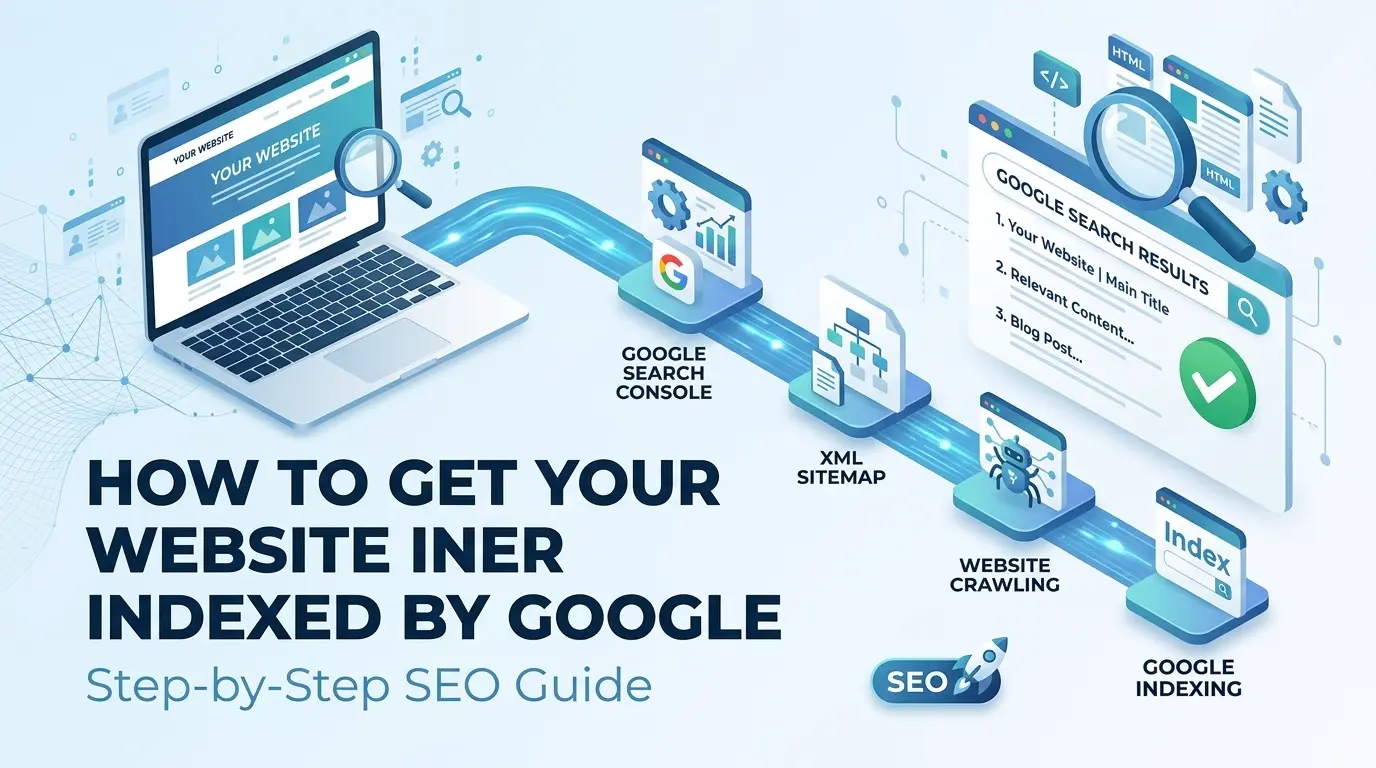
Create useful content → make your website crawlable → connect Google Search Console → submit your sitemap → improve internal linking → monitor your URLs.
Don’t worry if a new article doesn’t appear in Google immediately. Crawling and indexing can take time.
For a new website, consistency is more important than trying to force Google to index every page instantly.
Keep your website technically accessible, publish genuinely useful content, and build a clear structure that makes it easy for both visitors and search engines to understand your site.
Once your pages are being discovered and indexed, you can move on to the next stage: improving your SEO and building sustainable organic traffic.
1 thought on “How to Get Your Website Indexed by Google (Step-by-Step Guide)”